
Cast a Magnet Inventory, Favorites and Bag Controls
Last updated:
Use the Bag to inspect and organize your treasures, protect items from sale, and find the controls for trading and gifting.
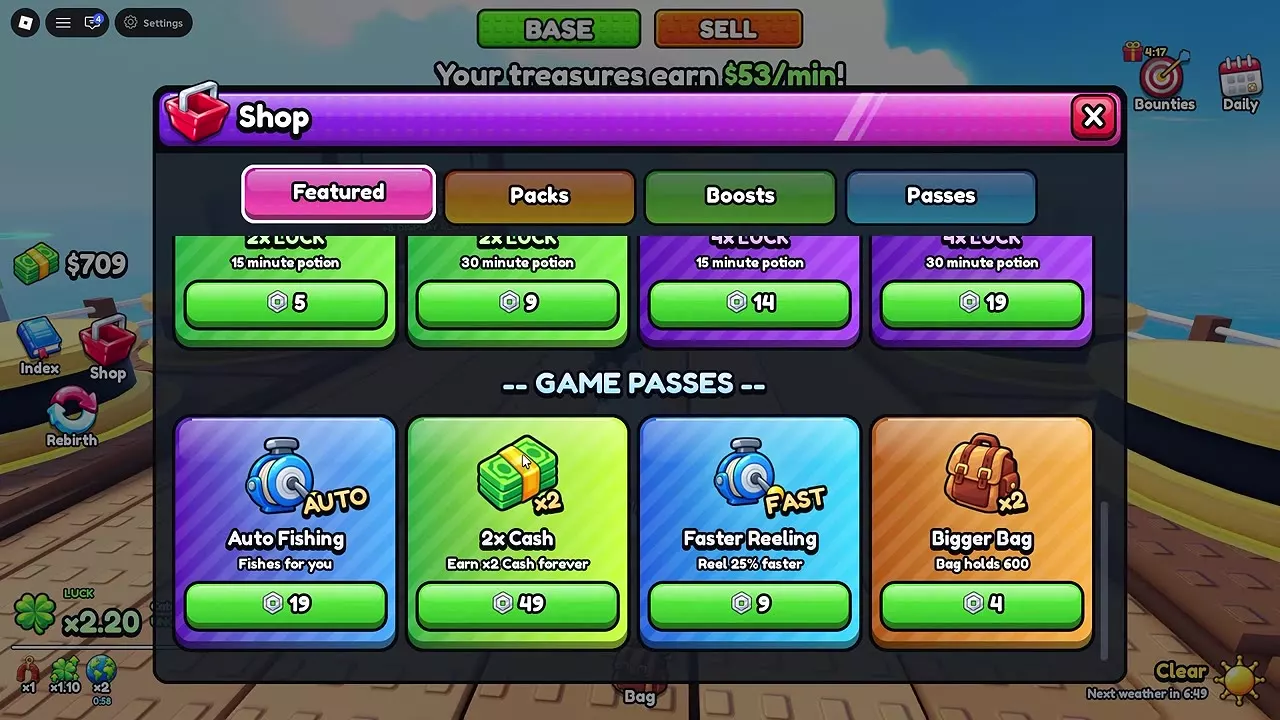
Open Bag and select Treasures to inspect items and sort by Value or Favorites. Favorites and displayed treasures are protected from sale. Bigger Bag increases treasure capacity from 300 to 600 for 4 Robux. Trade is an inventory control, while GIFT appears in a selected treasure’s details.
Treasures and Consumables
Open Bag at the bottom of the screen. Choose Treasures for your collection or Consumables for items such as potions.
On the Treasures tab, Space shows the number of treasures against your capacity, and Worth shows their combined value. Treasures on display remain in the Bag and count toward the treasure total.
For using items from the Consumables tab, see Merchant and potion use.
Inspect and Sort Treasures
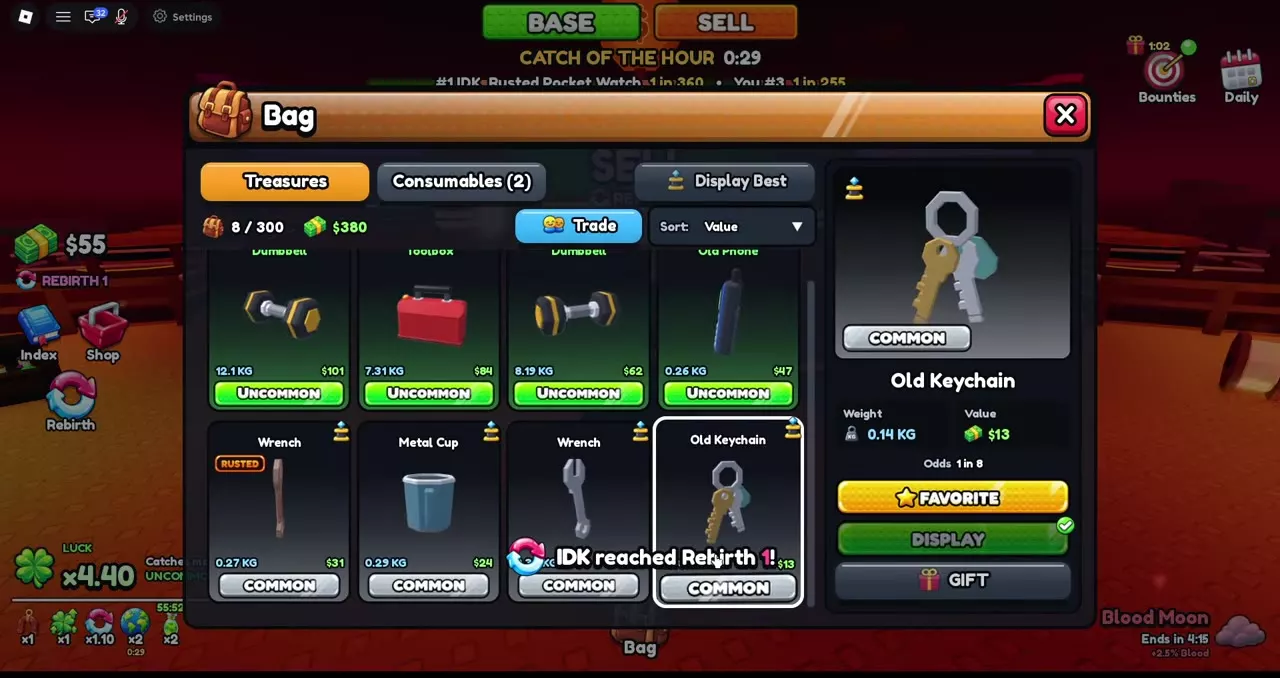
Select a treasure in Bag → Treasures to see its rarity, Weight, Value, Odds and any mutation label. Use Sort to choose Value or Favorites.
Value belongs to the individual treasure: two items with the same name can have different weights and values. Compare their displayed Value and mutation as well as their type. For a mutated treasure, use its displayed Value directly without applying the mutation multiplier again.
Trade and Display Best are controls for the treasure inventory. FAVORITE, DISPLAY and GIFT belong to the selected treasure.
Trade and Gift Buttons
To find Trade, open Bag → Treasures and choose it from the inventory controls. To find GIFT, select the individual treasure first, then choose GIFT in its detail panel.
When comparing an offer, look at each treasure’s type, weight, mutation and displayed Value. Value is an individual Cash value, not an item-for-item exchange ratio. A Sell quote is a separate amount affected by the market and sale bonuses.
Favorite and Protect Items
- Open Bag and choose Treasures.
- Select the treasure you want to keep.
- Press FAVORITE in its detail panel. Use Favorites sorting to organize your collection.
Favorites and treasures on display are protected from Sell All. To make a protected treasure eligible for sale, remove its Favorite status and, if it is displayed, take it off its pedestal. An item with both protections needs both removed.
Increase Treasure Capacity
The standard Bag holds 300 treasures. The Bigger Bag game pass costs 4 Robux and raises capacity to 600, adding 300 treasure slots.
Open Shop, scroll to Game Passes, and choose Bigger Bag to purchase it. Compare other upgrades in the game passes and equipment packs guide.
Display Markers and Sale Eligibility
A displayed treasure has a display marker on its Bag card and a check beside DISPLAY in its detail panel. It still counts in the Bag, even though it is protected from sale.
The Sell All count can therefore be lower than the Bag count. For example, selling three eligible treasures from a Bag of eleven leaves eight displayed treasures in the Bag.
Values, Displays and Selling
- Compare individual Cash values in the treasure value examples.
- Manage pedestals and displayed treasures with the base display guide.
- Follow the full sale process and learn how market multipliers affect the quote in selling and market multipliers.