
Cast a Magnet Selling and Market Multipliers
Last updated:
Turn unwanted treasures into Cash at the SELL stall. Choose individual items or sell an eligible batch, then check the Market multiplier and sale result to understand your payout.
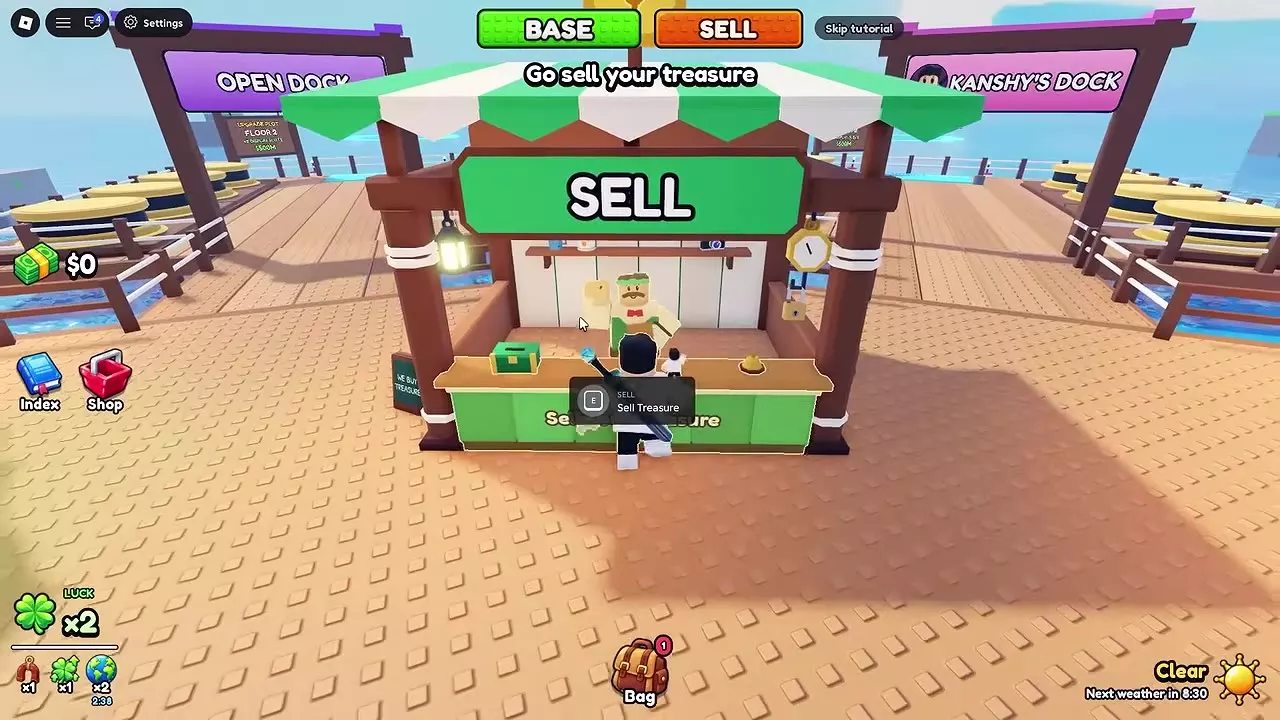
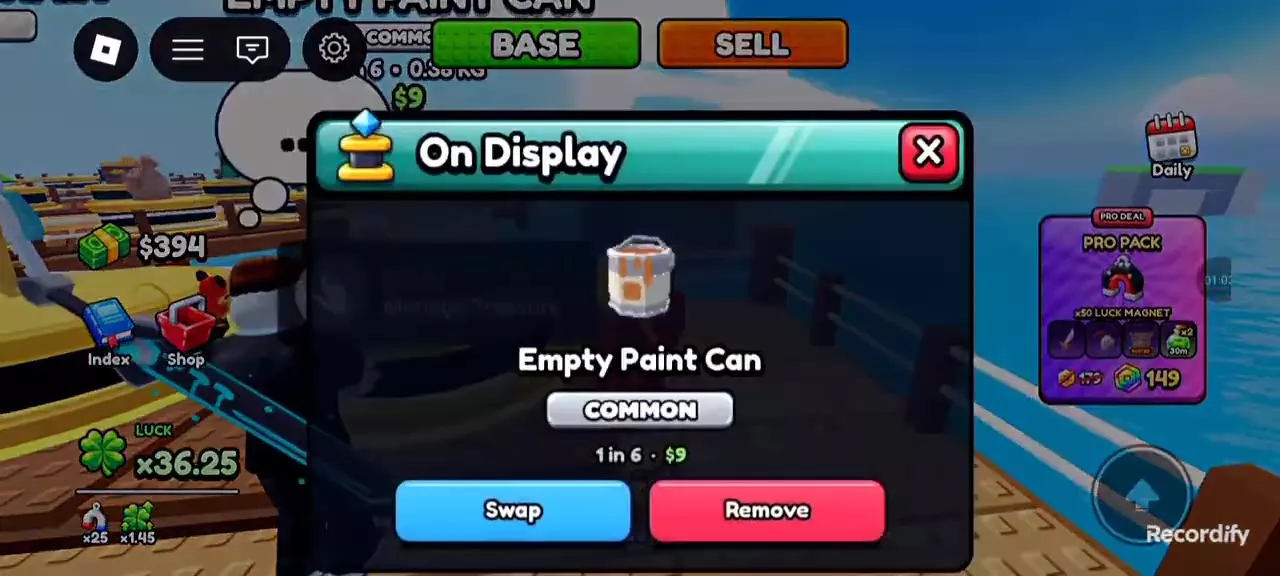
Click SELL at the top of the screen, then press E at the green stall to open Sell Treasure. Use Sell Selected for your selection or Sell All for every eligible treasure, and confirm again when prompted for Epic or rarer items. Favorites and displayed treasures are protected. Your payout uses the selected Treasure value, the Market multiplier at settlement, and the applicable Cash factors.
Eligible Treasures and the SELL Stall
- Click SELL at the top of the screen to travel to the selling area, or walk to the green SELL stall in the spawn plaza.
- Approach the counter and press E at the Sell Treasure prompt.
- Check the available treasures and the count beside Sell All.
A treasure is eligible only when it is neither favorited nor on display. The Sell All count is the number available for sale, rather than your total Bag count.
Market Changes and Sale Timing
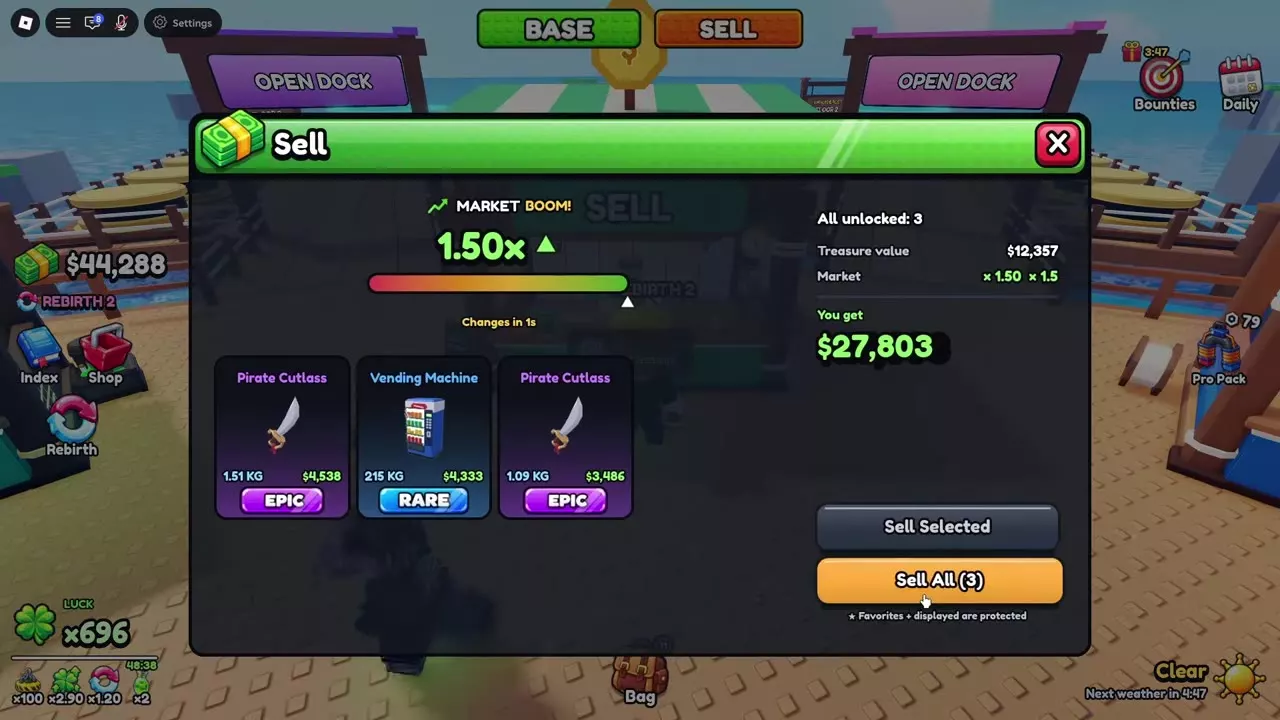
Read the current Market multiplier and Changes in countdown before selling. For the same treasures and the same Cash bonuses, a higher Market multiplier pays more.
| Market multiplier | Effect on treasure value |
|---|---|
| Below 1× | Reduces value |
| 1× | Leaves value unchanged |
| Above 1× | Increases value |
The Market component applies before any additional Cash factors. A Market Dip can therefore reduce the base value even when another bonus raises the final payout. For example, a batch worth 505 Cash has a 360 Cash quote at 0.57× Market with a 1.25× Cash factor.
MARKET UP and MARKET DOWN describe movement from the previous multiplier. A rise from 0.72× to 0.80× is MARKET UP, but 0.80× still reduces the treasure value. A drop from 1.50× to 0.53× is MARKET DOWN.
Wait or sell now
- Wait when the purchase can wait. Keep your treasures and review the sale menu when Market improves.
- Sell when you need immediate Cash. A dip does not block selling. Compare the current payout with the amount needed for your purchase.
- Watch a nearly expired countdown. Review the quote and complete any rarity confirmation while the multiplier you want is still active.
A quote does not lock the Market
A three-treasure batch worth 12,357 Cash, with a 1.50× Rebirth bonus, illustrates the difference:
| Transaction stage | Treasure value | Market | Rebirth bonus | Payout |
|---|---|---|---|---|
| Quote | 12,357 Cash | 1.50× | 1.50× | 27,803 Cash |
| Completed sale | 12,357 Cash | 1.12× | 1.50× | 20,760 Cash |
Market fell before completion, so the sale paid less than the initial quote. Read the completed result for the multiplier actually applied.
The change also works upward: a two-item batch worth 1,611 Cash had a 1.31× Market preview, then settled at 1.34× with a 1.25× Cash factor for 2,698 Cash.
Sell Selected and Sell All
Sell a selected treasure
- Select the treasure you want to sell.
- Read the selected Treasure value and payout quote. The quote changes to match your selection.
- Choose Sell Selected to sell that selection.
Sell an eligible batch
- Review the available items and the count beside Sell All.
- Choose Sell All.
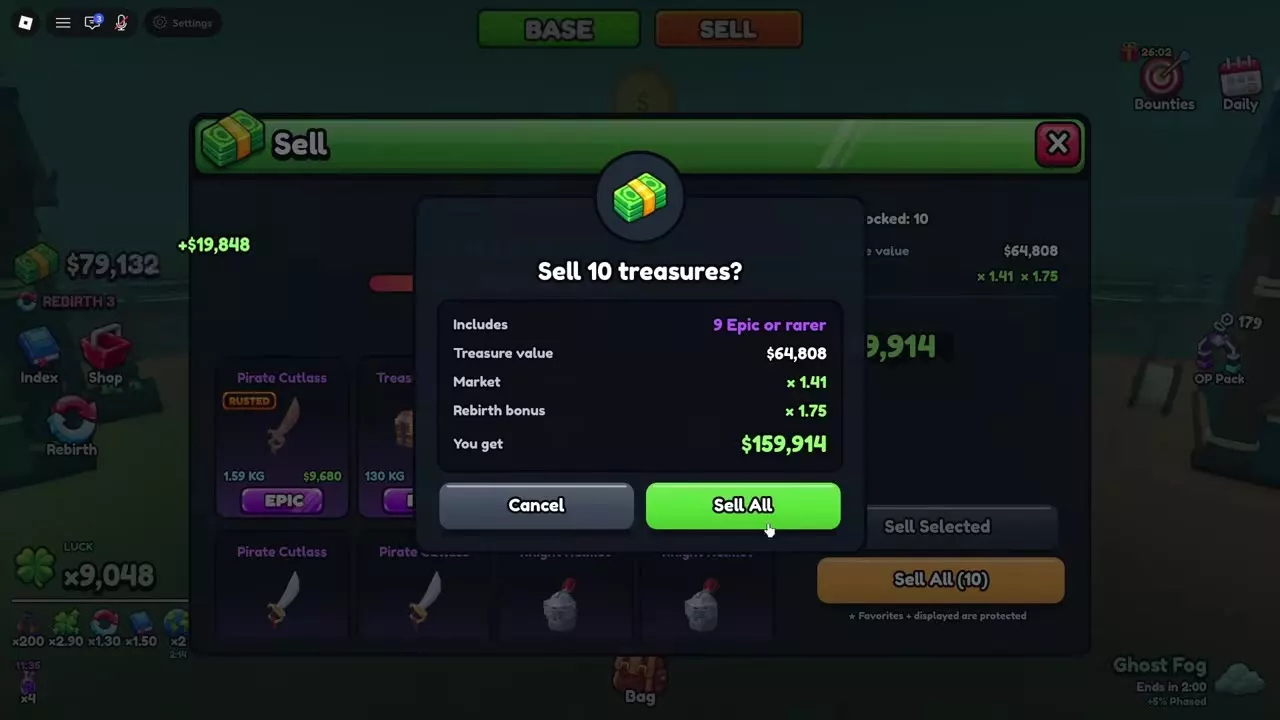
- If the batch includes Epic or rarer treasures and a confirmation opens, review its rarity count and payout, then choose Sell All again to complete the sale. Choose Cancel to keep the batch.
For example, a ten-treasure batch containing nine Epic or rarer items requires that confirmation before completion.
Look for SOLD and the credited Cash amount, then check your balance. Sold treasures leave your inventory; protected treasures remain. Selling 15 eligible treasures can therefore leave eight other treasures in the Bag.
Treasure sales also count toward an active Bounty that requires sale earnings. A 639 Cash sale, for example, satisfies an objective requiring 290 Cash earned through selling.
Favorites and Display Protection
If Sell All shows zero or fewer treasures than your Bag contains, check the items' Favorite and display status. Both protect treasures from sale, including bulk sales. Displayed treasures still count as treasures you own.
To release a displayed treasure for sale:
- Return to its pedestal and open Manage Treasure.
- Choose Remove, then confirm Remove.
- The treasure returns to your Bag. If it is also favorited, remove its Favorite status in Bag > Treasures.
- Return to SELL and select the released treasure.
Both protections must be removed when an item has both. Leave them active on treasures you intend to keep. If every treasure is protected, catch another treasure to sell or release a specific item you no longer want.
Read the Sale Calculation
Use the Treasure value for the exact selected item or batch, then apply the Market and Cash factors listed for that transaction:
Sale payout = selected Treasure value × settlement Market × applicable Cash factors
When the confirmation explicitly labels a factor Rebirth bonus, use it as the Rebirth multiplier. A ten-item batch worth 64,808 Cash, at 1.41× Market and 1.75× Rebirth bonus, gives a displayed quote and completed payout of 159,914 Cash.
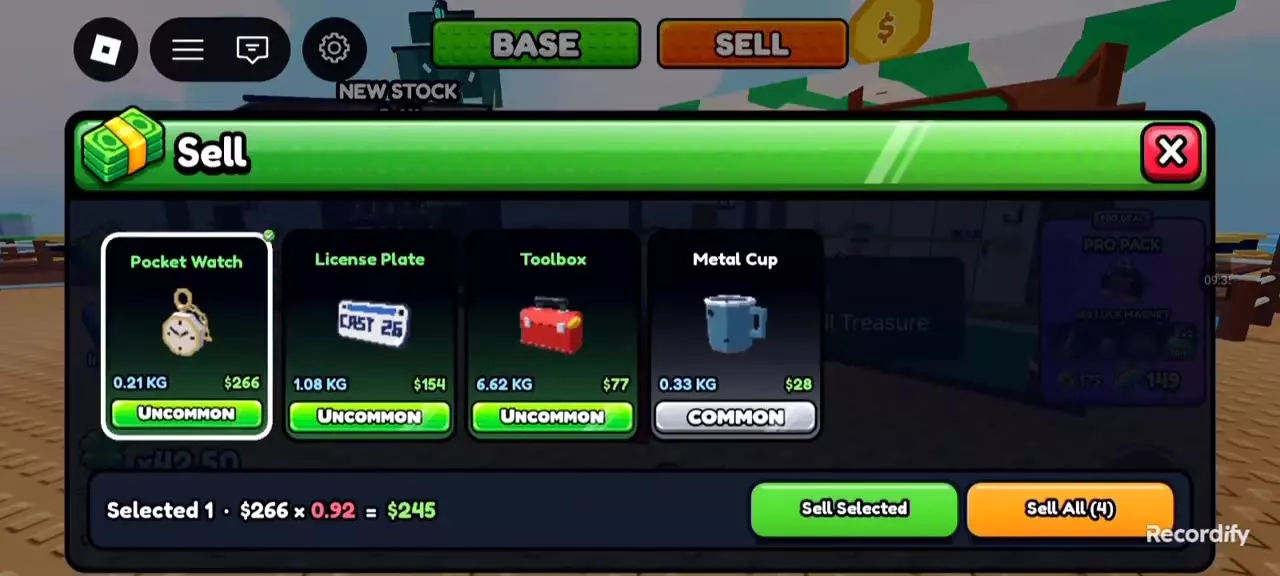
A simpler single-item example is a 0.21 kg Normal Pocket Watch worth 266 Cash. Selecting it at 0.92× Market gives a 245 Cash quote. That is the quote for this particular watch, rather than a fixed Pocket Watch selling price.
Whole-Cash displays
Quotes and results display whole Cash. The Pocket Watch calculation is 266 × 0.92 = 244.72, displayed as 245 Cash. A 5 Cash treasure at 0.50× Market is displayed as 3 Cash. Use the menu's displayed payout for the transaction amount.
The 2x CASH text beside a result is not an instruction to double the displayed payout again. In the 64,808 Cash batch, the listed 1.41× and 1.75× factors already produce the displayed 159,914 Cash result.
Tutorial rewards are separate
The 50 Cash Tutorial bonus is added separately from the treasure sale. A tutorial Tin Can worth 5 Cash sells for 3 Cash at 0.50× Market; adding the tutorial reward gives 53 Cash. The treasure itself sold for 3 Cash.
For the progression that grants explicitly labeled Rebirth bonuses, see Rebirth requirements and bonuses.

Treasure Values and Keep-or-Sell Choices
- Treasure value examples compare individual treasures with their weight and form conditions. Use your own item's Value when preparing a sale.
- Sell or display treasures helps you choose between immediate Cash and continued display income.
- Bag and Favorite controls explains how to inspect, sort and protect treasures.
- Base display management covers placement, replacement and returning exhibits to your Bag.